近期工作上遇到一個需要更改大量檔案名稱的需求
原本的檔名是這樣的
AAA-VV-00001_jiosajdwqoie.png
AAA-VV-00003_w29018209312.png
ABB-VV-00012_12390812039.png
.....以下省略......
想要的需求是把 "_" 的文字移除
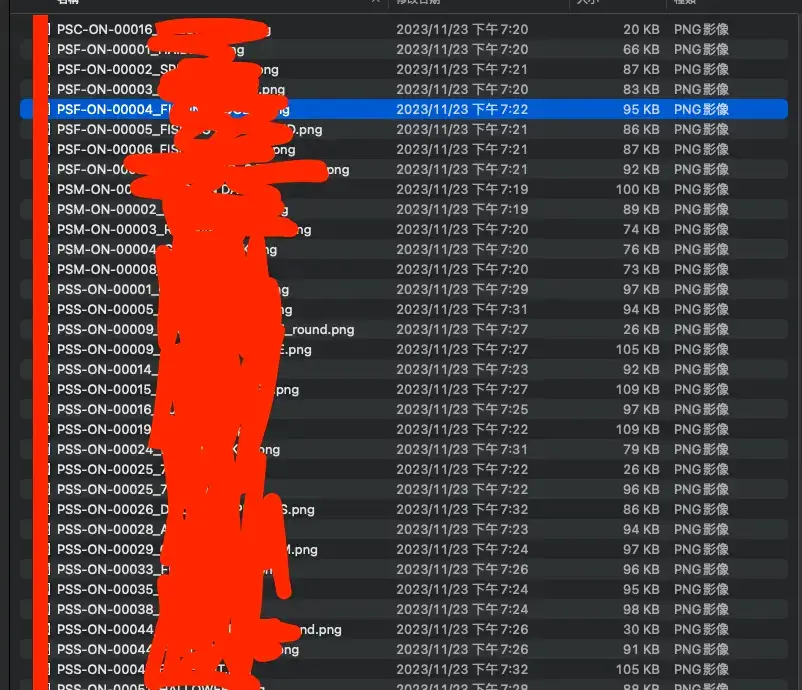
因為 AAA-VV 後方的數字也不是連貫的,變成運用 mac 內建的 rename 也沒辦法。
要是以前的我肯定是一個一個改= =
機智如我當然不會寫 Bash ,所以還是運用我微弱的前端知識,也就是 javascript 來解決。
// 需要本地有安裝 node.js

const fs = require('fs')
const path = require('path')
const FolderName = './' // 檔案位置,若檔案位置跟這支 js 檔案在不同位置需要更改此位置 ex: "./myFolder"

/**
 * 更改檔案名稱
 * @param {string} oldPath 原本名稱
 * @param {string} newPath 新名稱
 * @param {Function} callback 返回訊息
 */
function renameFile(oldPath, newPath, callback) {
  fs.rename(oldPath, newPath, (err) => {
    if (err) {
      console.error(`Error renaming file: ${err}`)
      callback(err)
    } else {
      console.log(`File renamed successfully from ${oldPath} to ${newPath}`)
      callback(null)
    }
  })
}

/**
 * 讀資料夾內部的檔案
 * @param {string} folderPath 資料夾名稱
 * @param {Function} callback
 */
function readFolder(folderPath, callback) {
  fs.readdir(folderPath, (err, files) => {
    if (err) {
      console.error(`Error reading folder: ${err}`)
      callback(err, null)
    } else {
      console.log(`Files in ${folderPath}:`)
      // 將所有檔案名稱 for loop 讀出來
      files.forEach((fileName) => {
        // 判斷如果是 .js 就不動作
        const jsFileRegex = /^.*\.js$/
        if (jsFileRegex.test(fileName)) return

        // 舊檔名
        const oldNmae = path.join(FolderName, fileName)

        // 這邊是調整新檔名的規則,依自己需求調整
        // 也可以自己寫 regex 會更準確
        const ext = '.png'
        const name = fileName.split('_')[0] // 新檔名
        const newName = path.join(
          FolderName,
          name.includes(ext) ? name : name + ext
        )

        renameFile(oldNmae, newName, (err) => {
          if (err) {
            console.error('File renaming failed.')
          } else {
            console.log('File renaming successful.')
          }
        })
      })
      callback(null, files)
    }
  })
}

readFolder(FolderName, (err) => {
  if (err) {
    console.error('File renaming failed.')
  } else {
    console.log('File renaming successful.')
  }
})
Copy!